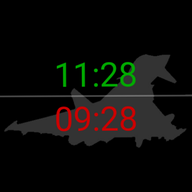
ZuluFaceMission Planning
Plan your mission: the silhouette and colour that suit your day - or let chance assign the silhouette and keep your colour.
Wear OS
Optional
Plan your mission: the silhouette and colour that suit your day - or let chance assign the silhouette and keep your colour.
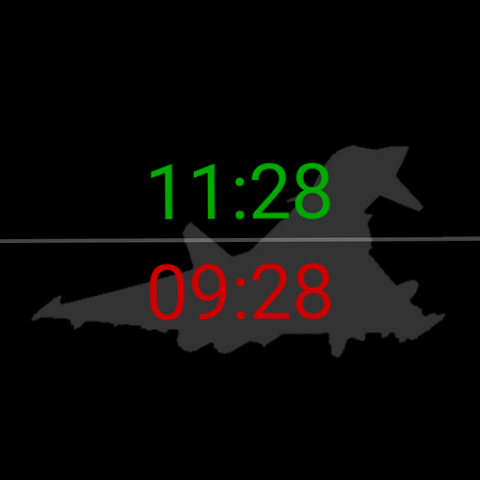
ZuluFace shows just the two times on a clean black background out of the box. ZuluFace Mission Planning is the small app of its own that puts a silhouette behind them - and that's the mission planning: pick the silhouette for the day and the colour it wears. Or switch on Daily and let chance assign the silhouette each midnight - your colour stays yours.
Everything runs right on the watch. Tap the face to open the picker, choose your silhouette and tint, and it closes itself - no phone, no account, no network.
Why a separate app? On Wear OS, a watch face can only display - it cannot show a colour picker of its own. So the picker lives in a small app of its own instead.
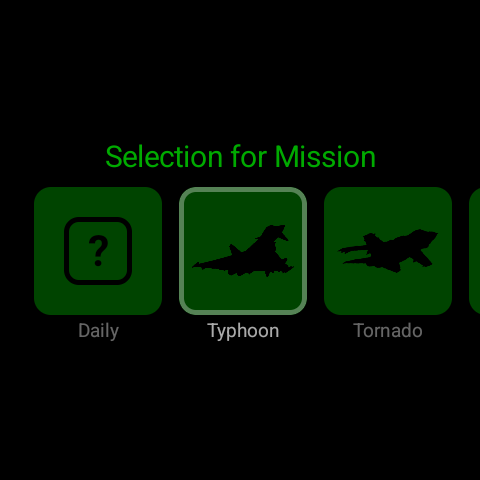
Air, sea and space vehicles, plus more - all things that keep Zulu time, each drawn to read clearly behind the numbers. Or pick Stealth for nothing at all.
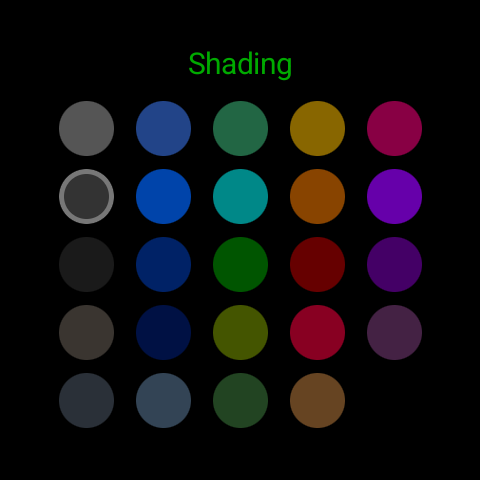
A grid of colour tints - greys, blues, teals, ambers, reds, purples - colours the silhouette behind the numbers. Tap a colour, done.
Turn on Daily and the planning passes to the day: each midnight brings a new silhouette in your colour. Pick a specific one any time to take it back.
As you tilt your wrist, the silhouette shifts slightly against the numbers, giving the flat screen a sense of depth - subtle enough never to pull focus from the time.
The whole picker runs on the watch itself. There's no phone app, no pairing, no account sign-in - tap the face and choose right on your wrist.
No network calls, no GPS, no location services, no account, nothing to grant at install. Your selection stays in the app's private, on-device storage.
The EiBPM principles, and how ZuluFace Mission Planning lives up to each.
Because that is what the two choices are. A mission needs a plan: the equipment you operate and how it is marked. Pick both deliberately, or hand the equipment to the day and keep your own markings - which is closer to how it goes when you are on the roster. The name is half a joke, and it still describes the app exactly: two decisions, made once, then you live with them.
Yes. ZuluFace Mission Planning changes the background of the ZuluFace watch face - without the face there's nothing for it to customise. The face itself, on the other hand, works fine without Mission Planning (just showing the two times on pure black).
Through a complication - the small slots a Wear OS watch face can show extra information in. Mission Planning draws your chosen silhouette and tint into an image on the watch itself and hands it over through one of those slots; the face uses it as its background. That is why the change shows up immediately.
Chance takes over the planning. Turn it on and every midnight the face is assigned a different silhouette - you do not pick it, though it still wears the colour you chose. You keep it until the next one, indefinitely, without ever reopening the app. Pick a specific one any time to take the planning back.
Because on Wear OS a watch face can only display - it has no way to show buttons or menus of its own. Choosing a colour needs exactly that, so it has to happen in a small separate app. The split is forced by the platform; it is not something we picked.
Because they all keep Zulu time. Pilots file flight plans in it, mariners log positions in it, satellites and spacecraft timestamp in it, radio operators and server rooms run on it. The roster is a quiet nod to everyone reading the same clock. They are also chosen for legibility against the time display: high-contrast outlines that read at a glance without competing with the numbers. Pick none at all and ZuluFace goes back to pure black behind the numbers.
No. The silhouettes are bundled with the app, the tinted image is made on the watch itself, and your selection stays local. No network calls, ever.
ZuluFace Mission Planning follows the EiBPM principles - no ads, no trackers, no accounts, no servers. Here's what that means for this app.
Nothing. No accounts, no analytics, no ads, no crash reporting - and there is no EiBPM server to send anything to.
Zero. The app requests no runtime permission - no location, no network, no storage access. It only publishes a complication, protected by Android's own system-enforced permission.
Your chosen silhouette and tint stay in the app's private, on-device storage. Uninstalling removes everything.
As a Wear OS app, ZuluFace Mission Planning is distributed through Google Play - the only practical, device-independent channel for watches. The app itself adds no Google licensing or integrity checks and makes no calls to Google; Google Play and Play Services have their own data practices, outside our control.