ZuluFace
A clean watch face built around Zulu (UTC) time - for pilots, sailors, sysadmins, and anyone who lives across time zones.
Wear OS
Watch Face
A clean watch face built around Zulu (UTC) time - for pilots, sailors, sysadmins, and anyone who lives across time zones.
Pilots plan and fly in Zulu. Mariners log positions in UTC. Astronomers, radio operators and others timestamp in UTC too. Anyone coordinating across time zones - distributed teams, satellite spotters, traders, military personnel - needs the same clock everyone else is reading.
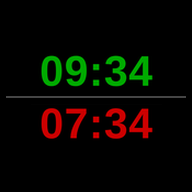
ZuluFace is a Wear OS watch face that puts that clock front and centre. Local time in green, Zulu time in red, stacked one above the other. No flipping between displays, no math, no second-guessing. The whole time group tilts gently with your wrist, like the horizon on a cockpit attitude indicator - over a pure black background.
Out of the box, that's the whole face: the two times and the horizon on pure black, working with zero setup - no network, no account, no phone. Want a silhouette and a colour of your own? ZuluFace Mission Planning - an optional Wear OS app of its own - lets you add one from a range of silhouettes and tints, right on the watch.
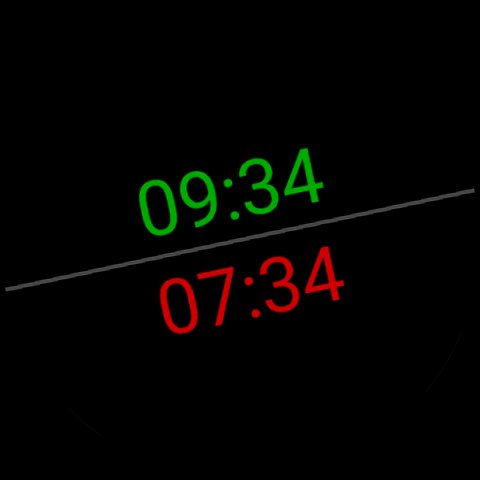
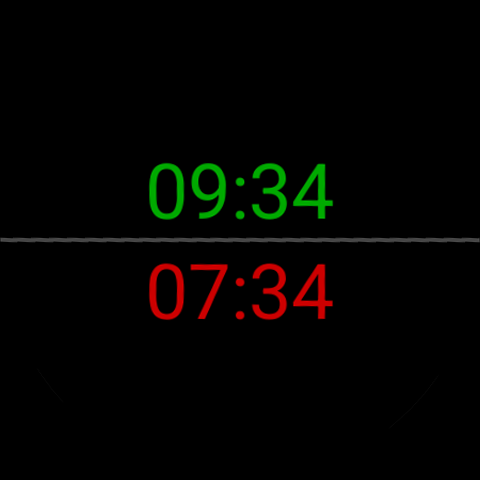
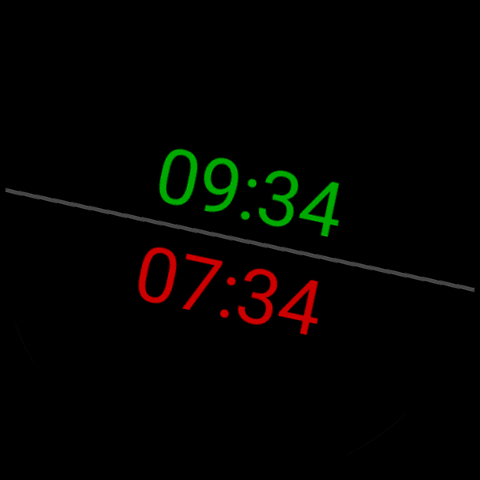
Local time on top in green, Zulu (UTC) below in red. Both large and centred, split by a thin horizontal separator. No swiping, no taps - read either without thinking.
The two times and the separator tilt gently with your wrist, like the horizon on a cockpit attitude indicator - over pure black.
Lower your wrist and the face stays on: both times and the separator stay readable on the dimmed screen. The silhouette goes stealth and animation stops - nothing moves for hours on end. Raise your wrist and everything resumes as usual.
Time comes from the system clock alone. No network calls, no GPS, no location services, no account, nothing to grant at install. Works on a flight, in a tunnel, in airplane mode.
Nothing runs in the background, and the face never wakes the network radio - two of the biggest drains on a watch battery. It costs little more than the pixels it lights.
The face is complete on its own. Want more? ZuluFace Mission Planning - its own small Wear OS app - adds silhouettes, a colour grid, and a daily assignment, chosen right on the watch and applied instantly through a complication.
In the NATO phonetic alphabet, Z = "Zulu". The international military and aviation convention names time zones by letter - A through Z, skipping J - with Z being the prime meridian (Greenwich, UTC). So "Zulu time" is shorthand for UTC, the one global reference everyone can agree on. Pilots, mariners, system engineers and ham-radio operators have all adopted it for the same reason: a single number that means the same thing in Lima and London.
It's a nod to aviation instrument convention - green for normal operating values, red for the value that needs the most attention. UTC is the one you can't get wrong when filing a flight plan or reading a server log, so it gets the red treatment.
A watch face on Wear OS can only display - it cannot have a settings screen of its own. So the choosing happens in ZuluFace Mission Planning, a small separate app on the watch: pick a silhouette and a colour there, and it appears behind the times right away. Without it, ZuluFace shows the two times on pure black - fully usable, simply without one.
No. Time comes from the system clock, which is already keeping itself synchronised by whatever method the OS chose (NTP via WiFi, cellular operator broadcast, GPS). ZuluFace doesn't add to that - no network calls of its own, ever.
ZuluFace follows the EiBPM principles - no ads, no trackers, no accounts, no servers. Here's what that means for this app.
Nothing. No accounts, no analytics, no ads, no crash reporting - and there is no EiBPM server to send anything to.
Zero. The watch face requests no runtime permission - no location, no network, no storage access. There is nothing to grant at install.
All app data stays in the app's private, on-device storage. Uninstalling removes everything.
As a Wear OS app, ZuluFace is distributed through Google Play - the only practical, device-independent channel for watches (vendor stores are device-specific). The app itself adds no Google licensing or integrity checks and makes no calls to Google; Google Play and Play Services have their own data practices, outside our control.